How to Install a Garmin ECHOMAP 93SV on a Boat
Installing a Garmin ECHOMAP 93SV can look like a big project, especially when replacing an older fish finder and routing new power and transducer cables. With some planning and patience, it is a project many boat owners can tackle themselves.
This guide is based on our real-world installation of two Garmin ECHOMAP 93SV units on a Tracker V-18 Tournament. We installed one at the console and one on the bow, with a Garmin GT56UHD-TM transducer on an i-Pilot Power Drive trolling motor and another transducer mounted on the transom.
What We Installed
- Garmin ECHOMAP 93SV at the console
- A second ECHOMAP 93SV at the bow
- Garmin GT56UHD-TM transducer on the trolling motor
- Garmin transom-mounted transducer
- New power and transducer cables routed through the boat
The exact equipment and mounting method will vary by boat, motor, and transducer, so use the installation instructions supplied with your Garmin equipment for your specific setup.
Before You Start
Plan the installation before drilling or pulling cables. Look at where the existing fish finder is mounted, where the cables enter the boat, and how the new cables will reach the console or bow. Have your drill, bits, screwdrivers, wire or cable snake, electrical tape, sealant, and cable clamps ready.
For longer cable runs through a boat, a fish tape can make the job much easier. Klein Tools 56331 50-Foot x 1/8-Inch Steel Fish Tape is the fish tape I use for pulling cables through the boat. It has a firm-yet-flexible steel tape and distance markings, which makes it useful when routing transducer and other wiring through difficult runs.
As an Amazon Associate I earn from qualifying purchases.
Step 1: Remove the Old Fish Finder and Mounts
Start by removing the old unit and its mounting hardware. On our boat, we also removed the old Lowrance mount and disconnected the existing cables so we could use the existing routes to pull the new Garmin cables through.
Before pulling anything out, figure out how the new cable will travel. Using an existing cable or pull line as a guide can be much easier than trying to blindly push a new cable through the boat.
Step 2: Route the Trolling Motor Cable
The trolling motor installation presented a unique challenge. The cable could not simply be routed straight through the motor because of the sealed housing and the way the motor rotates.
For our installation, the transducer cable was routed externally and wrapped loosely around the trolling motor shaft. The extra cable provides enough slack for the motor to rotate without pulling the cable tight.
Do not make the cable wrap tight. A trolling motor that can rotate can quickly put tension on a cable if there is not enough slack. Make sure the cable can move with the motor without rubbing, binding, or getting pinched.
Step 3: Install the Front Mount
The Garmin trolling-motor mounting hardware uses a track that allows the cable and mounting bracket to sit correctly against the motor. Route the cable through the bracket and position the mounting hardware so it sits flat. Install the supplied screws and locking washers, then leave enough slack for the trolling motor to rotate through its full range of movement.
Step 4: Pull the New Cables Through the Boat
For the longer cable runs, we used a cable snake to pull the new cables through the existing route. You do not necessarily need a professional cable snake. A reasonably stiff piece of wire or another suitable pull line can work for some installations.
Electrical tape can be used to secure the connector to the pull line, but make the connection smooth enough that it will not catch on corners or openings. When you meet resistance, stop and figure out why. Do not simply yank on a new transducer cable.
Step 5: Mount the Transom Transducer
When mounting a transducer on the transom, position it according to the Garmin instructions for the specific transducer. In our installation, we wanted the base of the transducer positioned approximately level with the bottom of the boat while still leaving room for adjustment.
Before drilling, mark the mounting holes carefully and double-check the location from inside and outside the boat.
Any hole below the waterline needs to be properly sealed. We coated the screw threads with marine-appropriate sealant before installing them. If you remove an old mounting screw, do not simply leave the hole open.
Step 6: Connect the Garmin Power Wiring
The Garmin power harness includes multiple wires. On our installation, the red wire was the positive connection and the black wire was the negative connection. The additional brown and blue wires were not needed for our particular setup.
Garmin’s installation instructions specify connecting the red power wire to the appropriate switched power source and the black wire to negative or ground. Follow the wiring instructions for your exact unit and boat rather than copying another installation.
Step 7: Connect the Transducer
Once the cable is routed, connect the transducer to the appropriate port on the Garmin cradle or unit as specified by Garmin. Make sure the connector is fully seated and aligned correctly. Misalignment can damage the equipment.
If your installation includes a ferrite bead, install it as directed by Garmin. The ECHOMAP UHD installation instructions specify placing the bead around the transducer cable close to the connector when one is included.
Step 8: Check the Transducer Position
Before calling the installation finished, make sure the transducer is secure and positioned correctly for your hull. The transducer should not be positioned where it will be constantly struck by turbulence or disturbed by other hardware.
If you are installing a transducer that is different from the one supplied with your chartplotter, make sure the Garmin unit recognizes the correct transducer. Selecting the wrong transducer type can reduce performance or cause problems.
Step 9: Power It Up and Test Everything
Once the wiring and transducers are connected, power up the Garmin and verify that the unit starts normally. Check the map, sonar, and transducer functions before putting the boat back into service.
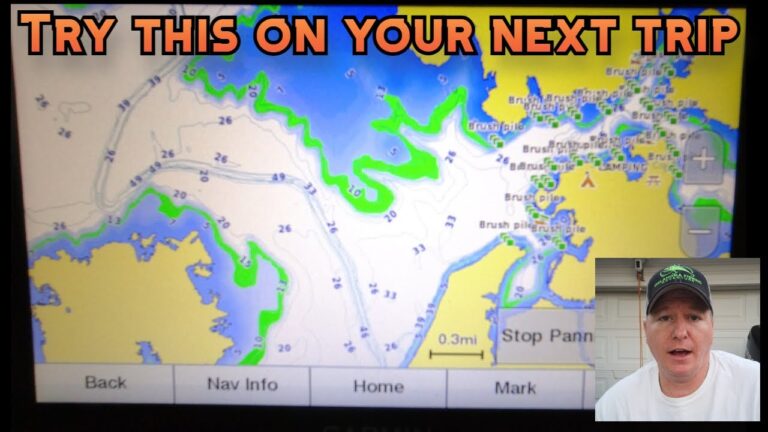
Our first startup was especially satisfying because the unit immediately showed the built-in fishing maps and contour lines. We still needed to move our existing waypoints over from the old Humminbird system, but the Garmin itself was up and running.
Tips for a Cleaner Fish Finder Installation
- Plan cable routes first. A few minutes of planning can save a lot of frustration.
- Use existing cable paths when possible. They can make pulling new cables much easier.
- Never yank on a transducer cable. Stop when you hit resistance and investigate.
- Leave slack around a rotating trolling motor. The cable needs room to move.
- Seal every hole correctly. Especially any screw or mounting hole below the waterline.
- Protect exposed cables. Cable clamps and spiral wrap can help keep wiring organized and protected.
- Test before final cleanup. Make sure the unit, power, maps, and transducer work before hiding everything behind panels.
What About NMEA 2000?
The ECHOMAP UHD family can be integrated into compatible NMEA 2000 networks. Garmin’s installation documentation notes that only one NMEA 2000 power cable is required for a network and that network power needs to be handled correctly to avoid unnecessary battery drain.
We did not need to complete that portion of the network during the installation shown in our video, so treat NMEA 2000 as a separate installation step if your boat uses it.
Watch the Original Garmin ECHOMAP 93SV Installation Video
Want to see exactly how we handled the installation on the Tracker V-18 Tournament? Watch the original Oklahoma Fishing Adventure video:
GARMIN ECHOMAP 93SV UHD install tutorial on the TRACKER V-18 Tournament
Final Thoughts
Installing a Garmin ECHOMAP 93SV is not necessarily a difficult project, but it does require patience. The hardest part of our installation was routing the new transducer cables and figuring out how to manage the trolling-motor cable while still allowing the motor to rotate.
The biggest lesson is simple: take your time. Plan the cable routes, seal your mounting holes, protect the wiring, and test everything before putting the boat back together.
For current installation details, always use the instructions for your specific Garmin model and transducer.